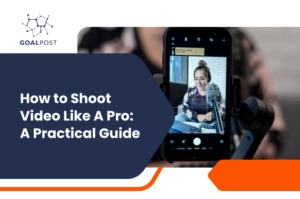
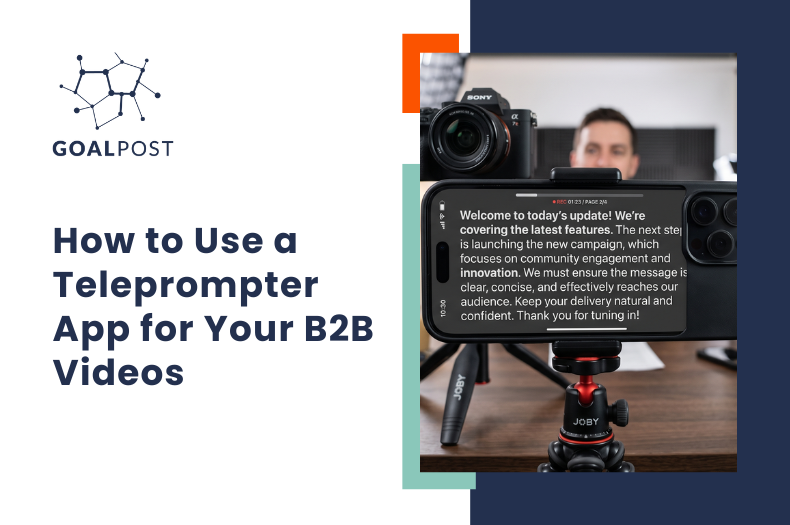
It is a truth universally acknowledged that a man in possession of a camera must be in want of a teleprompter. Pretty sure that’s how it goes. …Maybe I’m thinking of something else.
What no one tells you before you start creating marketing videos, is that the camera is the easy part. Like, how are you supposed to know what to do with your face? And your hands? And your teeth?! omg.
You hit record.
Your brain takes an immediate vacation. You’ve said “um” about five thousand times and you’re barely 8 seconds in. Cool. …said no one except your mom.
Good news, friend; you’re probably not as hopeless on camera as you think you are.
You’re Actually One of Three Types
The natural teleprompter reader. Some people can read a script and still sound like a normal person. Eye contact, good pacing, not so much with the robot energy. If this is you, a teleprompter app is going to feel like a gift. Write your script, load it up, hit record. You’re done in one take.
The off-the-cuff person. You know your stuff, cold. You just need to talk about it. Give someone like this a word-for-word script and they’ll get all weird. Stiff. Overcorrected. Like they’re reading terms and conditions. If this is you, stick to bullet points and riff from there.
The freeze. Camera on, words gone. Truth is, most people who think this is them are actually in one of the first two groups. They just haven’t found their footing yet. And if you’ve genuinely tried everything and still dread it, there’s probably someone else on your team who’s better suited to do it. Not every founder needs to be the face of their own content.
Teleprompter Apps Are Pretty Great Now
If you’re a natural reader, you don’t need a production crew or a piece of glass mounted to a camera rig to make this work. Your iPhone and a solid app will get you most of the way there.
Teleprompter Pro is one that holds up. It lets you load your script, adjust scroll speed to match your natural pace of speech, and record a video at the same time. That’s really all you need for talking-head videos: website content, case studies, thought leadership clips, social posts. The stuff that makes your business look like it has its act together.
How to Not Look Like You're Reading
- Write like you talk. Read your script out loud before you record. If you stumble over a sentence, rewrite it. Your ears will catch what your eyes miss. It doesn’t always sound the same out loud, as it does in your head.
- Short sentences. Seriously. They’re easier to deliver, easier to follow, and they make you sound more confident on camera.
- Dial in your scroll speed. Spend sixty seconds adjusting it before you record. You’ll thank yourself immediately.
- Do one read-through first. Not to memorize it. Just to get comfortable. One pass makes a noticeable difference.
Figure Out What Works for You
Some people nail it with a script. Some people need to just open their mouth and go. Both are completely valid. The only wrong move is spending so much time worrying about which type you are that you never actually hit record.
The tools are good, the bar is lower than it’s ever been, and your phone is already in your pocket. Your checklist is mostly done already.